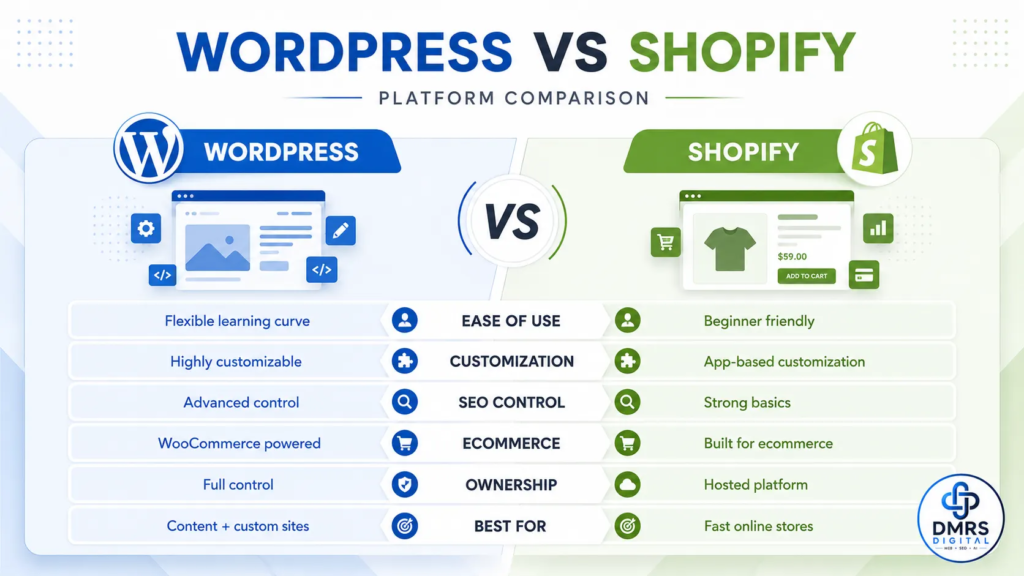
WordPress vs Shopify: Which Platform Is Better for Your Business?
Choosing the right website platform is one of the most important early decisions for a business. The platform affects your website design, cost, search visibility, ownership, product management, payment options and ability to grow.
The WordPress vs Shopify decision is not simply about identifying which platform is more popular. It is about understanding which one fits your business model, technical resources, budget and long-term goals.
Shopify is built primarily to help businesses launch and manage online stores through a hosted system. WordPress is a flexible content-management system that can create business websites, blogs, portals, service websites and online stores using WooCommerce.
This detailed comparison explains the main differences and helps you decide whether WordPress or Shopify is the better platform for your business.
New to WordPress? Read our complete guide on how to build a professional WordPress website before comparing the two platforms.
Table of Contents
- Quick WordPress vs Shopify comparison
- What is WordPress?
- What is Shopify?
- Ease of use
- Website and store costs
- Ownership and control
- Design and customisation
- Ecommerce features
- SEO capabilities
- Blogging and content marketing
- Hosting and website speed
- Security and maintenance
- Payments and transaction fees
- Scalability
- Support
- Which platform is best for different businesses?
- Frequently asked questions
- Final decision
WordPress vs Shopify: Quick Answer
Choose Shopify when your main goal is to launch an online store quickly and you prefer hosting, security, checkout and core ecommerce functions to be managed through one platform.
Choose WordPress with WooCommerce when you need greater control over your website, stronger content flexibility, advanced customisation, detailed SEO control or a website that combines services, blogging, education, memberships and ecommerce.
Neither platform is automatically best for every business.
The right choice depends on:
- What you intend to sell
- How much customisation you need
- Your monthly budget
- Your technical experience
- Your content-marketing strategy
- Your target countries
- Your payment requirements
- Your long-term growth plans
What Is WordPress?
WordPress is an open-source content-management system. It can be used to create business websites, portfolios, blogs, educational platforms, membership sites, directories and ecommerce stores.
WordPress allows businesses to customise websites through themes, plugins and custom development. The official WordPress project also emphasises flexibility, data ownership and the ability to modify or extend the software without a WordPress licensing fee. Explore the official WordPress features.
WordPress alone is not a complete ecommerce platform. To sell products online, it is commonly combined with WooCommerce.
WooCommerce describes itself as a customisable, open-source ecommerce platform built on WordPress. It supports store setup, products, payments, orders, shipping and extensions. View the official WooCommerce documentation.
With WordPress, you normally arrange your own:
- Domain
- Web hosting
- Theme
- Plugins
- Security configuration
- Backups
- Performance optimisation
- Maintenance
This creates more responsibility, but it also provides greater control.
What Is Shopify?
Shopify is a hosted commerce platform designed primarily for selling products and services online.
It provides an online store editor, themes, product management, inventory tools, checkout, hosting, SSL and integrations within one managed ecosystem.
Shopify’s website builder allows users to customise sections, menus, branding and products without requiring coding knowledge. It is purpose-built for ecommerce and includes store-management tools such as checkout, shipping, analytics and inventory features. Review the official Shopify website builder.
Unlike a self-hosted WordPress website, Shopify hosting is included in the selected Shopify plan. Shopify also states that connected domains receive SSL and its plans include commerce hosting and bandwidth.
This makes Shopify easier to set up for many new store owners, but users operate within Shopify’s platform structure, plans and app ecosystem.
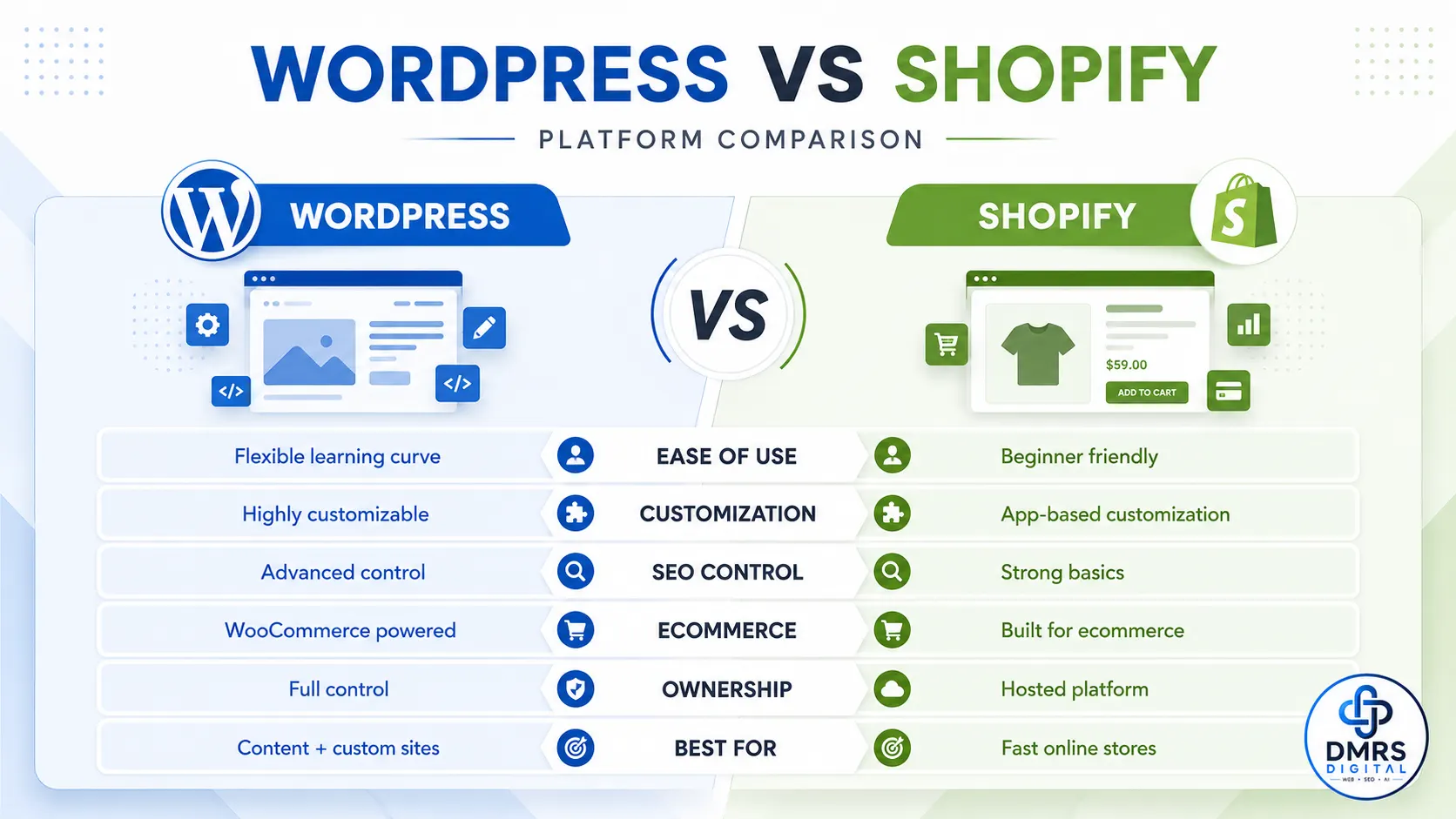
WordPress vs Shopify: 12 Important Differences
1. Main Purpose
WordPress is designed as a flexible content-management system.
It can support:
- Service-business websites
- Blogs
- Company websites
- Learning platforms
- Membership portals
- Directories
- Ecommerce stores
- Custom digital platforms
Shopify is designed primarily around commerce.
It is especially suitable for:
- Product catalogues
- Online stores
- Inventory management
- Orders
- Checkout
- Shipping
- Discounts
- Multichannel selling
If ecommerce is only one part of a larger content, education or service platform, WordPress may offer more flexibility.
If ecommerce is the main purpose of the entire website, Shopify may provide a faster starting point.
2. Ease of Use
Shopify is generally easier for beginners who want to start selling quickly.
The platform manages hosting, SSL and much of the technical infrastructure. Store owners can add products, select a theme, configure payments and begin preparing the store for launch through the Shopify dashboard.
WordPress requires more initial decisions.
You may need to:
- Purchase hosting
- Install WordPress
- Select a theme
- Install WooCommerce
- Configure plugins
- Set up caching
- Arrange security
- Manage backups
- Test compatibility
A professionally configured WordPress website can be easy to manage after launch, but the initial setup normally requires more technical understanding.
Ease-of-use winner: Shopify
Flexibility winner: WordPress
3. WordPress vs Shopify Cost
The cost structure is different for both platforms.
WordPress costs
WordPress software is open-source, but operating a professional website may involve:
- Domain registration
- Web hosting
- Premium theme
- Premium plugins
- WooCommerce extensions
- Payment-gateway fees
- Developer charges
- Security and maintenance
- Speed optimisation
A small WordPress website can be affordable, but complex ecommerce features may increase costs.
Shopify costs
Shopify uses a recurring subscription model.
Possible expenses include:
- Monthly or annual Shopify plan
- Domain
- Paid theme
- Paid apps
- Payment-processing fees
- Third-party transaction fees in applicable situations
- Custom development
- Email or marketing tools
Shopify prices, plan features and payment conditions can change by country and plan, so businesses should always review the official Shopify pricing page before deciding.
Which is cheaper?
WordPress can be cheaper when you use efficient hosting and only essential plugins.
Shopify can be more predictable because hosting and core commerce tools are included in a recurring plan.
However, multiple Shopify apps can increase the monthly cost significantly.
Best decision: Compare the expected total cost for at least 12 months, not only the starting price.
4. Ownership and Control
WordPress provides direct control over the website files, database, hosting environment and code, depending on the hosting account and access provided.
You can usually:
- Move the website to another hosting provider
- Access the database
- Modify theme files
- Build custom plugins
- Control server settings
- Create custom content types
- Change the website structure
WordPress officially highlights the ability to own your data and modify the software.
Shopify is a hosted platform. You own your business content and products, but the store operates within Shopify’s infrastructure and platform rules.
You can export certain store data, but you cannot move the entire Shopify software system to independent hosting.
Ownership and technical-control winner: WordPress
5. Design and Customisation
Both platforms offer themes and visual editors.
WordPress design
WordPress provides:
- Thousands of themes
- Block Editor support
- Page builders
- Custom themes
- Custom CSS
- Custom PHP development
- Advanced content structures
- Plugins for specialised functionality
A developer can create highly customised layouts and business systems.
Shopify design
Shopify provides:
- Ecommerce-focused themes
- Visual section editing
- Mobile-ready layouts
- Theme customisation
- Shopify apps
- Custom Liquid development
- Custom apps and APIs
Shopify is flexible for ecommerce design, but some advanced checkout and platform-level customisations may depend on the selected plan or Shopify’s technical limitations.
Advanced customisation winner: WordPress
Simplified store-design winner: Shopify
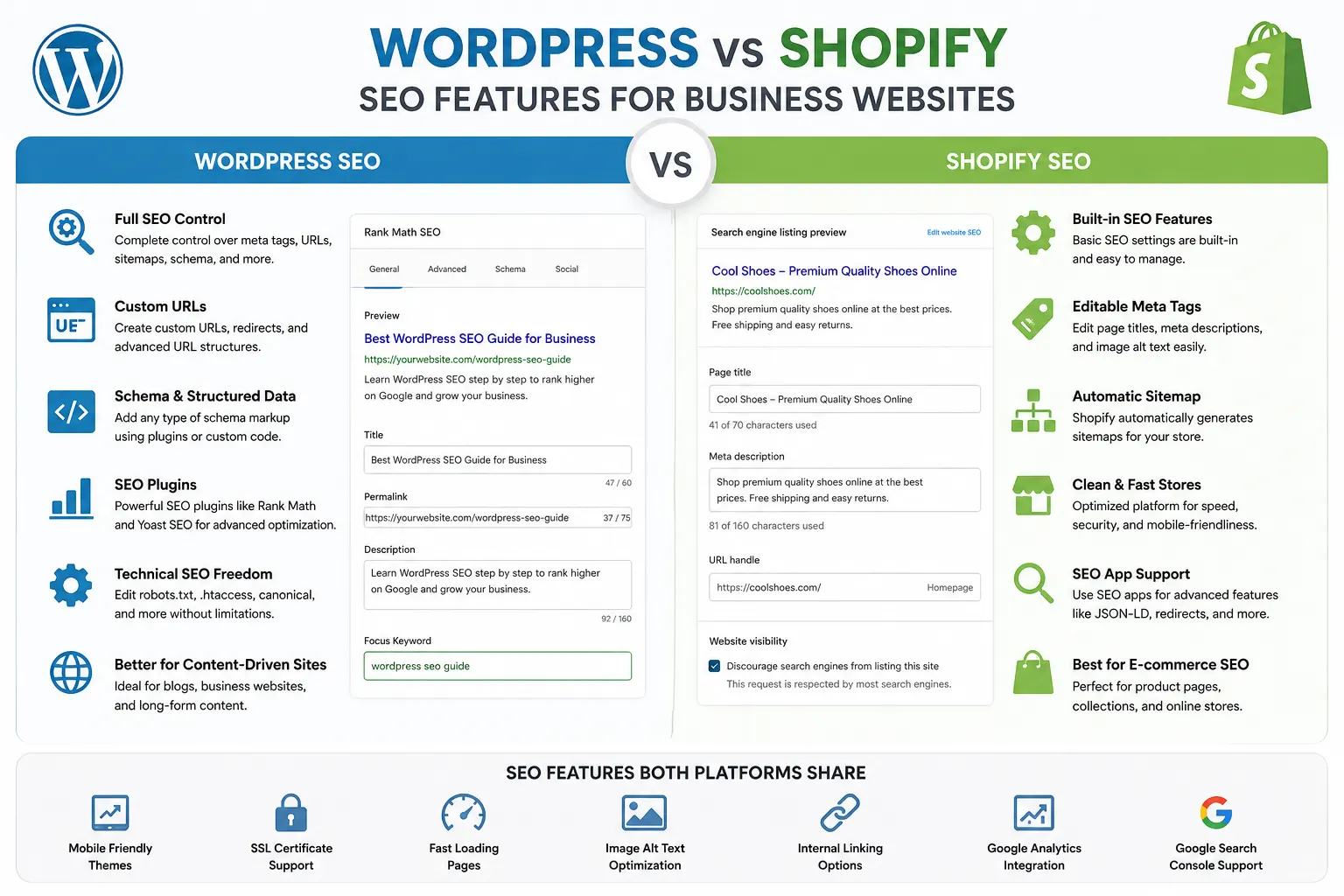
6. Ecommerce Features
Shopify includes many ecommerce features as part of its core platform.
These may include:
- Product management
- Inventory
- Checkout
- Discounts
- Orders
- Shipping configuration
- Analytics
- Marketplaces
- Social selling
- Customer accounts
WordPress requires WooCommerce or another ecommerce plugin.
WooCommerce can support:
- Physical products
- Digital products
- Variable products
- Subscriptions
- Memberships
- Bookings
- Wholesale stores
- Marketplace functionality
- Custom product types
WooCommerce provides extensive flexibility, but additional features may require plugins, configuration and technical maintenance. Its official setup resources cover products, orders, payments, shipping and taxes.
Ready-to-use ecommerce winner: Shopify
Custom ecommerce flexibility winner: WordPress with WooCommerce
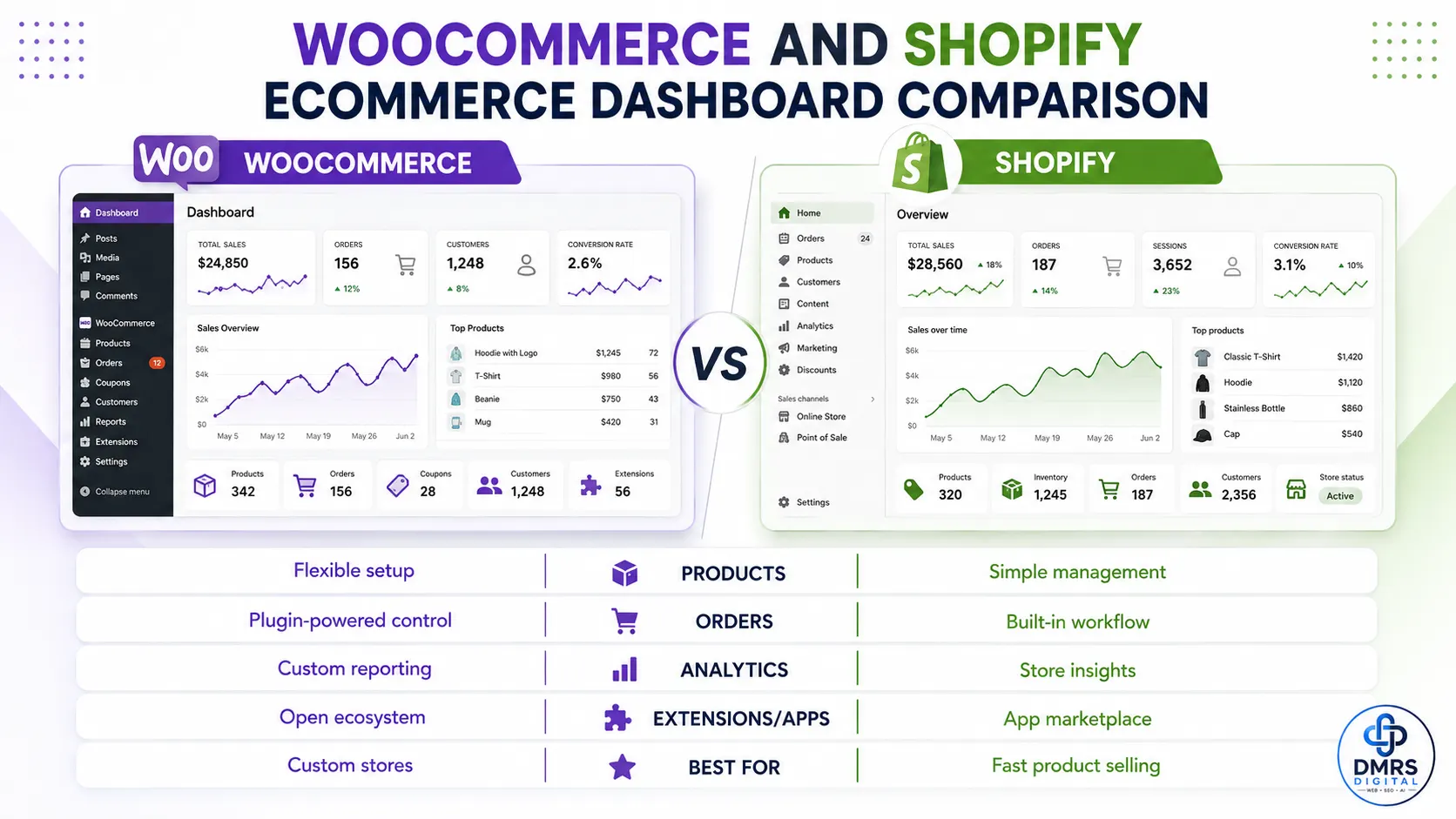
7. WordPress vs Shopify SEO
Both platforms can be optimised for search engines, but they provide different levels of control.
WordPress SEO
WordPress allows detailed control through:
- SEO plugins
- Titles and meta descriptions
- Schema
- XML sitemaps
- Redirects
- Internal linking
- URL structures
- Robots directives
- Canonical tags
- Image optimisation
- Database and server optimisation
- Custom code
Plugins such as Rank Math can help manage on-page and technical SEO settings.
WordPress can be highly effective for SEO, but results depend on proper configuration, hosting, content quality and ongoing optimisation.
Shopify SEO
Shopify includes basic SEO functionality such as:
- Editable page titles
- Meta descriptions
- Sitemaps
- Canonical handling
- Mobile-ready themes
- Image ALT text
- Blogging
- Redirect tools
Shopify also provides built-in marketing and SEO capabilities, but some URL structures and platform-level technical areas are managed by Shopify.
WordPress normally provides deeper technical control, while Shopify makes basic SEO easier for non-technical users.
Technical SEO control winner: WordPress
Basic SEO simplicity winner: Shopify
8. Blogging and Content Marketing
WordPress is particularly strong for businesses that rely on articles, guides, tutorials, educational resources and long-term organic traffic.
It offers:
- Categories
- Tags
- Authors
- Custom post types
- Content scheduling
- Revisions
- Advanced editorial plugins
- Flexible article layouts
- Detailed internal linking
Shopify also includes blogging functionality, but ecommerce remains its primary focus.
A store that publishes occasional announcements or buying guides may find Shopify sufficient.
A business planning a large learning centre, publication or content-led SEO strategy may prefer WordPress.
You can explore practical articles across web development, SEO, advertising and automation in Learn with DMRS.
Content-marketing winner: WordPress
9. Hosting and Website Speed
Shopify includes managed hosting, SSL and infrastructure within its plans. Business owners do not need to purchase separate hosting.
This reduces technical responsibilities.
However, Shopify speed can still be affected by:
- Heavy themes
- Large images
- Excessive apps
- Tracking scripts
- Videos
- Poorly implemented custom code
WordPress speed depends heavily on:
- Hosting quality
- Server location
- Theme quality
- Plugin selection
- Image optimisation
- Caching
- CDN configuration
- Database condition
- Developer implementation
A properly optimised WordPress website can perform very well, but poor hosting and excessive plugins can make it slow.
Infrastructure simplicity winner: Shopify
Hosting and server-control winner: WordPress
10. Security and Maintenance
Shopify handles much of the platform-level infrastructure, hosting and security management.
Store owners still need to protect:
- Account passwords
- Staff access
- App permissions
- Customer information
- Payment accounts
- Domain access
WordPress website owners are responsible for maintaining the software environment.
Important WordPress tasks include:
- Updating WordPress
- Updating themes
- Updating plugins
- Creating backups
- Monitoring security
- Protecting administrator accounts
- Removing unused plugins
- Checking compatibility
- Maintaining hosting
A managed WordPress service can reduce this workload.
Low-maintenance winner: Shopify
Security-configuration control winner: WordPress
11. Payments and Transaction Fees
Payment availability is an important factor, especially for businesses in India, GCC countries and international markets.
Shopify payments
Shopify supports multiple payment options, but availability depends on the country and payment provider.
When a store uses an eligible third-party payment provider, Shopify may charge third-party transaction fees in addition to charges from the payment processor. The applicable rate depends on the Shopify plan and payment configuration. Review Shopify’s official transaction-fee explanation.
WooCommerce payments
WooCommerce supports payment gateways through WordPress plugins.
Options vary by country and may include:
- Card payments
- Bank transfers
- Cash on delivery
- PayPal
- Stripe
- Local payment gateways
- Wallets
- Buy-now-pay-later providers
WooCommerce itself provides the store framework, while individual payment providers normally set their own processing charges.
Before choosing either platform, confirm:
- Gateway availability in your country
- Settlement currency
- International payment support
- Refund process
- Chargeback fees
- Recurring-payment support
- Transaction charges
- Payout time
12. Scalability and Long-Term Growth
Both WordPress and Shopify can support growing businesses.
Scaling Shopify
Shopify can handle growth without requiring the business owner to manage servers directly.
As requirements grow, businesses may need:
- Higher Shopify plans
- More advanced apps
- Custom themes
- Custom integrations
- International-store configuration
- Shopify Plus for complex enterprise requirements
Scaling WordPress
WordPress can be scaled through:
- Better hosting
- VPS or cloud infrastructure
- Database optimisation
- CDN
- Object caching
- Custom development
- Headless architecture
- Performance engineering
WordPress gives businesses more infrastructure control, but scaling may require experienced developers and server specialists.
Managed scaling winner: Shopify
Custom infrastructure winner: WordPress
WordPress vs Shopify Comparison Table
| Area | WordPress with WooCommerce | Shopify |
|---|---|---|
| Primary purpose | Flexible websites and ecommerce | Hosted ecommerce |
| Setup | More technical | Easier for beginners |
| Hosting | Purchased separately | Included |
| Ownership | Strong file, code and database control | Operates within Shopify platform |
| Customisation | Very extensive | Strong but platform-controlled |
| Ecommerce | Added through WooCommerce | Built into platform |
| SEO | Greater technical control | Easier basic setup |
| Blogging | Advanced content management | Basic-to-moderate blogging |
| Maintenance | Owner or developer manages it | Much of infrastructure managed |
| Security | Requires active management | Platform infrastructure managed |
| Costs | Hosting, plugins and development vary | Subscription and app costs |
| Payments | Multiple gateway plugins | Integrated and third-party options |
| Best for | Custom, content-led and mixed websites | Ecommerce-first businesses |
Which Platform Is Best for Your Business?
Choose WordPress When:
- Your business is service-based
- Content marketing is important
- You want complete design flexibility
- You need advanced SEO control
- You need a learning platform
- You want memberships or directories
- You need custom forms and workflows
- You want direct control over hosting
- Ecommerce is only one part of the website
- You have access to technical support
Choose Shopify When:
- Your main goal is selling products
- You want to launch quickly
- You do not want to manage hosting
- You prefer one central commerce dashboard
- You need straightforward inventory management
- You want managed checkout infrastructure
- You are comfortable with recurring subscription costs
- Your required payment methods are supported
- Your customisation needs fit Shopify’s ecosystem
Best Platform for a Service Business
WordPress is generally more suitable for consultants, agencies, clinics, professional services, construction companies and local service providers.
It provides greater flexibility for:
- Service pages
- Location pages
- Case studies
- Appointment forms
- Learning content
- Lead-generation funnels
- Technical SEO
Best Platform for a Product Store
Shopify may be more suitable when the business primarily needs:
- Products
- Inventory
- Orders
- Shipping
- Checkout
- Discounts
- Standard ecommerce reporting
WordPress with WooCommerce remains a strong alternative when the store requires extensive customisation or content integration.
Best Platform for Courses and Educational Websites
WordPress usually provides more flexibility for:
- Learning-management systems
- Student accounts
- Course modules
- Quizzes
- Certificates
- Memberships
- Blog content
- Lead-generation pages
Students and professionals interested in practical website and marketing training can review the WordPress Website Development and Digital Marketing course syllabus.
Best Platform for International Businesses
Either platform can serve international markets, but the business should compare:
- Target countries
- Currency support
- Payment gateways
- Tax requirements
- Shipping options
- Multilingual capabilities
- Local domains
- Data-protection requirements
- Total platform costs
Shopify offers built-in international-commerce features on applicable plans, while WordPress can be customised through plugins and independent services.
Common Mistakes When Choosing Between WordPress and Shopify
Choosing Only by Starting Price
The lowest introductory price does not represent the total cost.
Calculate:
- Hosting
- Platform subscription
- Theme
- Apps or plugins
- Development
- Payment charges
- Maintenance
- Marketing tools
- Renewals
Ignoring Payment-Gateway Availability
A platform may appear perfect until you discover that the required payment method is unavailable or expensive in your country.
Selecting Shopify for a Content-Heavy Platform
Shopify can publish blog posts, but a large educational, publishing or service platform may require the flexibility of WordPress.
Selecting WordPress Without Maintenance Resources
WordPress provides control, but updates, security, backups and performance must be managed properly.
Installing Too Many Apps or Plugins
Too many Shopify apps or WordPress plugins can increase costs, create conflicts and reduce performance.
Migrating Without Planning
Moving between platforms may require:
- Product migration
- Customer-data transfer
- Order-history handling
- URL redirects
- SEO migration
- Design rebuilding
- Payment reconfiguration
Choose with long-term requirements in mind.
Frequently Asked Questions
Is WordPress better than Shopify?
WordPress is better for businesses requiring extensive customisation, advanced content management, deeper technical SEO control or a combination of services and ecommerce.
Shopify is better for businesses prioritising a simpler hosted ecommerce setup.
Is Shopify easier than WordPress?
Shopify is generally easier for beginners because hosting, SSL and core ecommerce infrastructure are included.
WordPress requires more setup, but it offers greater flexibility.
Which is better for SEO: WordPress or Shopify?
WordPress provides greater technical SEO control through plugins, server access and custom development.
Shopify provides essential SEO features and may be easier for beginners to manage.
SEO results on either platform depend on content quality, site structure, speed, competition, authority and implementation.
Which is cheaper: WordPress or Shopify?
The answer depends on the website.
WordPress expenses vary according to hosting, plugins and development. Shopify involves a recurring plan and may include app and transaction-related costs.
Compare the complete annual cost before deciding.
Can WordPress be used for ecommerce?
Yes. WooCommerce turns WordPress into a customisable ecommerce platform for physical products, digital products, subscriptions and other store models.
Can Shopify be used for a normal business website?
Yes. Shopify can create informational pages and blogs, but it is primarily designed around commerce.
A non-ecommerce service business may find WordPress more flexible and cost-effective.
Can I move from Shopify to WordPress?
Yes, but the migration must be planned carefully.
Products, customers, images, URLs, SEO metadata and orders may require separate migration steps. The website design normally needs to be rebuilt.
Can I move from WordPress to Shopify?
Yes. Products and some data can be imported, but themes, plugins and custom WordPress functionality do not transfer directly.
Which platform is better for beginners?
Shopify is usually easier for a beginner launching an ecommerce store.
WordPress is suitable for beginners who are willing to learn website setup, hosting, themes and plugins or work with a professional developer.
Do I need a developer?
A developer may not be necessary for a simple Shopify store or basic WordPress website.
Professional assistance becomes useful when you need:
- Custom design
- Advanced integrations
- Technical SEO
- Website speed optimisation
- Payment configuration
- Complex products
- Security
- Migration
- Conversion optimisation
Final Decision: WordPress or Shopify?
The WordPress vs Shopify decision should be based on your business model, not general popularity.
Choose WordPress when you need:
- Full control
- Advanced content management
- Custom functionality
- Technical SEO flexibility
- Service pages and lead generation
- A mixed website and ecommerce platform
Choose Shopify when you need:
- A faster ecommerce setup
- Managed hosting
- Built-in commerce infrastructure
- Easier product and order management
- Reduced technical maintenance
For many service businesses, educational platforms and content-led brands, WordPress is the stronger choice.
For ecommerce-first businesses that want a managed system, Shopify may be more practical.
The best platform is the one that supports your current requirements without limiting your future growth.
Need Help Choosing or Building Your Website?
DMRS Digital develops professional websites, ecommerce platforms, landing pages and digital growth systems for businesses targeting India, GCC, UK, Europe and global markets.
Explore our web development and ecommerce services if you need support with:
- WordPress development
- WooCommerce
- Shopify
- Website redesign
- Technical SEO
- Speed optimisation
- Mobile responsiveness
- Lead-generation pages
Businesses interested in the development initiative can also review the Free Website programme and submit the website application form.
To discuss a custom project, contact DMRS Digital.